

Walk into any server room, and you’ll see neatly organized racks humming away. What you won’t see is how fragile the entire operation is. A single voltage sag lasting 20 milliseconds can corrupt a database. A brownout can crash an entire rack before anyone notices. A full blackout means data loss, SLA violations, and recovery costs that run into six figures.
This is why a rackmount uninterruptible power supply isn’t a luxury — it’s a structural requirement. Not an accessory bolted on after the fact, but a core piece of infrastructure engineered into every rack from day one.
What is Rackmount Uninterruptible Power Supply?
A rackmount uninterruptible power supply (rackmount UPS) is a UPS designed to mount inside equipment racks (standard 19″ server racks), providing battery-backed, conditioned AC power to rack-mounted servers, network devices, and storage.
Supplies immediate backup power during outages and conditions incoming power (voltage regulation,
surge/transient protection, frequency stabilization) to prevent downtime, data corruption, and hardware
stress.
Form Factor
Made to fit rack units (1U, 2U, etc.), conserving vertical space and simplifying cabling and
airflow compared with tower UPS models.
Topologies
Common types are standby/line-interactive (cost-effective for small loads) and online double-conversion (continuous clean power, zero transfer time for sensitive equipment).
Batteries
Uses lead-acid (VRLA) or lithium options; lithium offers higher energy density, longer cycle life, and smaller footprint.


Why Generic UPS Systems Fail in Server Environments
Most facilities start with a standalone tower UPS. It works — until it doesn’t. Tower UPS units consume floor space, create cable clutter, and don’t integrate with rack-based power distribution units (PDUs). When you’re managing 20, 40, or 100 servers, floor space is precious, and cable management is everything.
A rackmount uninterruptible power supply solves this by mounting directly into a standard 19-inch rack — typically in 1U, 2U, or 3U form factors. This means:
- Zero wasted floor space
- Integrated power distribution alongside servers and switches
- Centralized monitoring through SNMP, USB, or dry-contact relays
- Scalable architecture — add capacity by adding rack units, not by buying new floor-standing towers
For anyone running a rackmount UPS for server rack, the benefit is immediate: power protection lives where the servers live. There’s no middleman, no extra cabling, no single point of failure between the UPS and the load.
The Hidden Risks Inside Every Server Room
Many businesses assume that utility power is stable enough to keep servers online. In reality, server rooms face multiple power quality issues every day:
- Unexpected blackouts
- Voltage sags and surges
- Frequency fluctuations
- Lightning-induced spikes
- Short-duration brownouts
- Generator switching delays
Even a brief disturbance can instantly shut down storage arrays, networking switches, virtualization hosts, and security systems.
For organizations operating 24/7, the cost of downtime often exceeds the cost of installing a professional rackmount uninterruptible power supply.
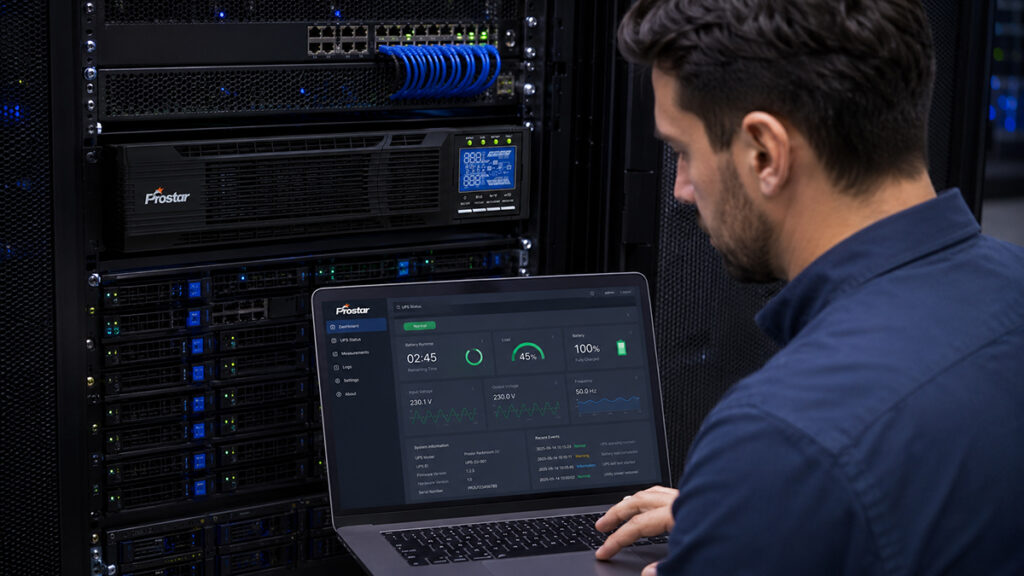
Why the Rackmount UPS is Non-Negotiable
Space Optimization and Structural Harmony
Server rooms are premium real estate, where maximizing floor space and cooling efficiency is a constant challenge. Traditional tower UPS units take up valuable floor space and disrupt the organized airflow of a server enclosure.
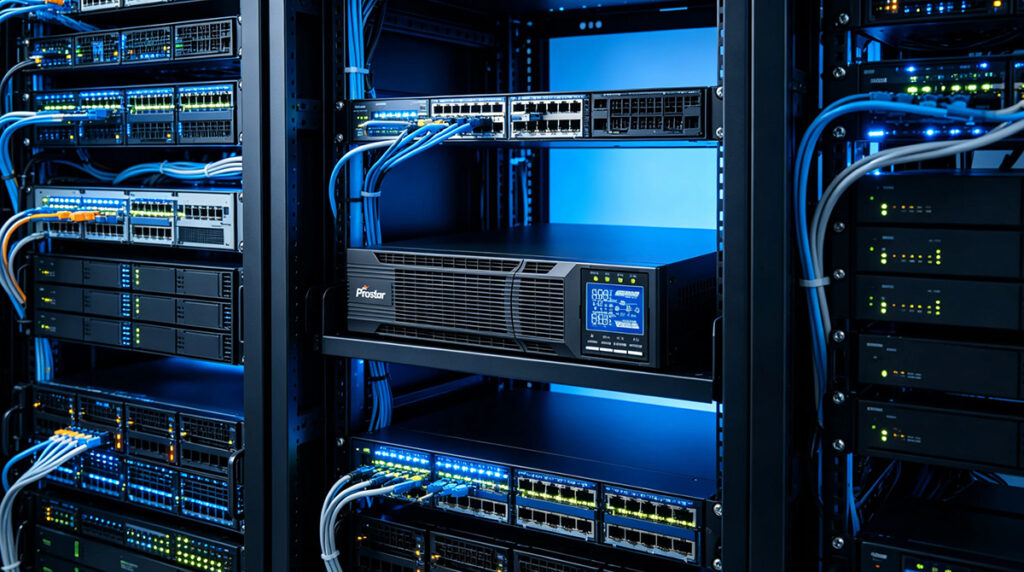
A rackmount uninterruptible power supply is engineered specifically to slide seamlessly into standard 19-inch IT enclosures. By utilizing a 2U rackmount uninterruptible power supply, organizations can secure high-capacity power protection without sacrificing expansive vertical space. This integration ensures that power backups reside in the exact same footprint as the servers they protect, maintaining clean cable management and unobstructed hot/cold aisle containment.
Maintaining Network Connectivity
Many organizations discover that even if servers remain operational, network infrastructure often becomes the weakest link.
A professional network rack UPS battery backup system keeps communication devices active, including:
- Ethernet switches
- Wireless controllers
- Fiber converters
- VoIP systems
- Security gateways
Without network availability, cloud applications, remote access services, and internal communications can all become inaccessible.
For data-driven companies, maintaining network uptime is just as important as protecting servers themselves.
Advanced Power Protection Topologies
Not all power anomalies are complete blackouts. In fact, subtle voltage fluctuations—like surges, brownouts, and line noise—cause the majority of long-term hardware degradation.
For mission-critical IT infrastructure, standard standby or line-interactive systems often fall short. Implementing an online rackmount UPS with lithium battery technology provides the ultimate level of protection through double-conversion topology:
- Zero Transfer Time: An online UPS continuously converts incoming AC power to DC, and then back to isolated AC power. Because the inverter is always online, the transfer time to battery during a power failure is exactly zero milliseconds.
- Pure Sine Wave Output: It eliminates harmonic distortion and electrical noise, delivering clean, stable energy to sensitive server power supplies.
Data Centers Demand Continuous Power
Data centers operate under strict uptime requirements, often targeting 99.999% availability. In these environments, power protection is not optional.
A dedicated rack mounted UPS for data center provides several critical advantages:
Double Conversion Technology
Online UPS systems continuously convert incoming AC power into DC and then regenerate clean AC output. This eliminates virtually all power disturbances before they reach sensitive equipment.
Scalable Runtime
Additional battery modules can extend backup duration from minutes to several hours, depending on operational requirements.
Redundant Architecture
Multiple UPS units can operate in parallel, eliminating single points of failure.
This level of reliability is why enterprise data centers overwhelmingly choose online rackmount UPS systems.
The Rise of Lithium Battery Technology
Traditional lead-acid batteries have served the UPS industry for decades, but lithium technology is rapidly becoming the preferred solution.
An online rackmount UPS with lithium battery offers several operational benefits:
| Feature | Lead-Acid | Lithium Battery |
|---|---|---|
| Service Life | 3-5 Years | 8-15 Years |
| Cycle Life | 300–500 cycles | 3,000–6,000+ cycles |
| Charging Speed | Slow | Fast |
| Energy Density | 30–40 Wh/kg | 90–120 Wh/kg |
| Weight | Heavy | Lightweight |
| Maintenance | Frequent | Minimal |
| Cycle Life | Low | High |
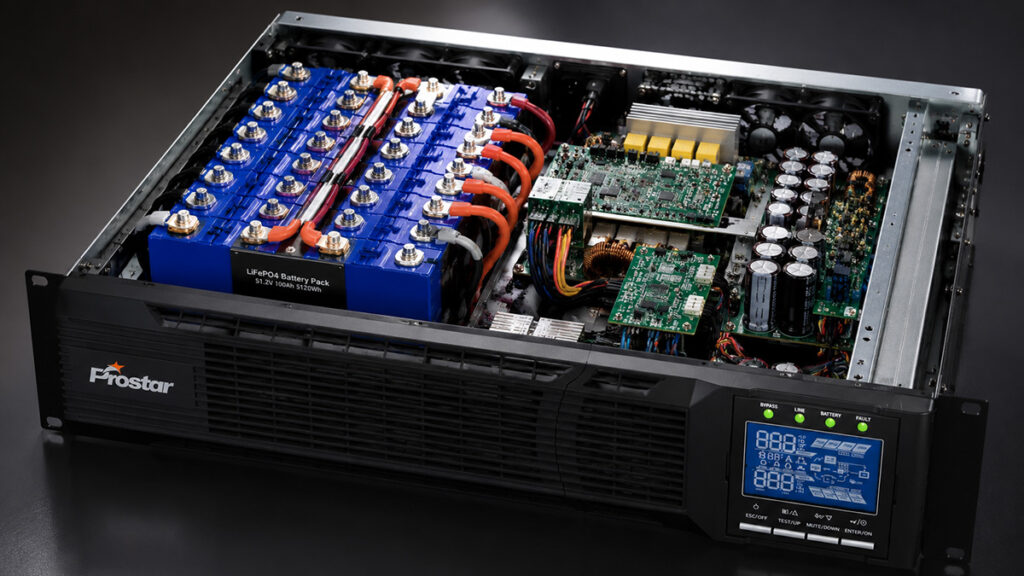
For a data center with 500 racks, switching to lithium means eliminating battery replacements for a decade, reducing cooling load by up to 30%, and cutting total cost of ownership by 40–60% over the lifecycle. The rackmount uninterruptible power supply with lithium isn’t a premium upsell — it’s an economic necessity at scale.
Industrial IT Infrastructure
Manufacturing plants, logistics centers, and automated production lines increasingly rely on server-based control systems.
An industrial rackmount UPS power backup solution protects:
- SCADA servers
- PLC communication gateways
- Industrial Ethernet switches
- MES systems
- Quality control databases
In industrial environments, power interruptions can halt entire production lines, resulting in substantial operational losses. A reliable UPS ensures that critical control systems remain operational until backup generators engage.
What Actually Makes a Rackmount UPS Different
Let’s move beyond scenarios and examine the engineering decisions that separate a real rackmount uninterruptible power supply from a repackaged tower UPS with rack ears.
| Topology | Transfer Time | Output Quality | Best Use Case |
|---|---|---|---|
| Online Double-Conversion | 0 ms | Pure sine wave, ±1% regulation | Data centers, healthcare, finance |
| Line-Interactive | 4–8 ms | Simulated sine wave, ±5% regulation | Small closets, non-critical loads |
| Standby/Offline | 8–20 ms | Stepped approximation | Consumer electronics only |
For any server room running production workloads, online double-conversion is mandatory. The 4–20ms transfer delay in line-interactive and standby modes is enough to cause hard reboots on modern servers with fast-boot SSDs. A rackmount uninterruptible power supply with online topology eliminates this risk entirely by continuously converting AC → DC → AC, so the battery is always in the circuit — there is no “transfer” to perform.
Why 2U Rackmount Designs Are So Popular
Space efficiency is one of the primary concerns inside modern server cabinets.
A 2U rackmount uninterruptible power supply dominates the 1kVA–3kVA segment for good reason:
- 1U units are too thin for meaningful battery capacity — typically 5–8 minutes of runtime at half load
- 3U+ units waste valuable rack space in dense deployments where every U costs money
- 2U delivers 15–45 minutes of runtime at full load, fits dual power inputs, and accommodates a full management suite
The 2U rackmount ups system provides an excellent balance between power capacity and rack utilization. It typically fits seamlessly into standard cabinets while leaving room for servers, storage devices, and networking equipment.
Advantages include:
- Compact installation
- Easy front-panel maintenance
- Better airflow management
- Simplified battery replacement
- Flexible expansion options
For small and medium-sized server rooms, the 2U form factor often delivers the ideal combination of performance and space savings.
How to Specify the Right Rackmount UPS
To select the ideal system for your specific IT infrastructure, follow this comprehensive, step-by-step engineering guide.

1. Calculate the Total Power Load (Capacity)
Before evaluating features, you must determine how much power your equipment draws. A UPS should never be loaded to 100% capacity; standard practice dictates sizing the UPS to operate at 70% to 80% capacity to allow for future expansion and inrush currents.
- List Your Equipment: Note the maximum wattage (W) or Volt-Amperes (VA) of all servers, switches, storage arrays, and routers that will connect to the UPS.
- The Golden Rule: Ensure you distinguish between Watts (real power) and VA (apparent power). Modern servers with Power Factor Corrected (PFC) power supplies typically have a power factor close to 1.0, meaning Watts and VA are nearly equal.
Fomula:
Required UPS Capacity (VA) = Total Equipment VA / 0.8
2. Choose the Right UPS Topology
The internal architecture of your rackmount UPS for server rack dictates how cleanly it handles power anomalies. There are three main topologies:
Standby (Off-line) UPS
Passes utility power directly through until a failure occurs, then switches to battery.
It is best for: Basic desktop workstations. Not recommended for server rooms.
Line-Interactive UPS
Uses a variable voltage transformer to correct minor brownouts and overvoltages without switching to battery. It features a brief transfer time (typically 4–8ms) to battery during total outages.
Best for: Standard network switches, routers, and non-critical edge infrastructure.
Online Double-Conversion UPS
Continuously converts incoming AC power to DC, and then back to highly stable, isolated AC power. It offers zero transfer time and a pure sine wave output.
Best for: Mission-critical servers, blade enclosures, and high-density rack mounted UPS for data center deployments where even a microsecond voltage drop could cause system crashes.
3. Determine Required Battery Runtime (Autonomy)
Runtime is the number of minutes the UPS can power your equipment during a blackout. Define your operational goals during a power failure:
- Short Runtime (5–15 minutes): Designed to keep systems running just long enough for an automated, graceful shutdown sequence via management software.
- Extended Runtime (30+ minutes to hours): Designed to bridge the gap until a facility backup generator starts and stabilizes. If you need extended runtime, ensure the system supports Extended Battery Modules (EBMs)—external battery packs that can be daisy-chained to the main unit.
4. Select the Battery Chemistry: Lead-Acid vs. Lithium
Modern IT managers must choose between traditional battery chemistry and advanced lithium-ion technologies.
- Traditional VRLA (Lead-Acid): Lower upfront cost, but heavy, occupies more space, and requires replacement every 3 to 5 years.
- Online rackmount UPS with lithium battery: Higher initial investment, but offers double the lifespan (8–10+ years), faster recharge times, lower weight, and a significantly lower Total Cost of Ownership (TCO) over the life of the IT equipment.
5. Evaluate Form Factor and Space Constraints
Rack space is measured in Rack Units (1U = 1.75 inches or 44.45 mm).
- Low Profile (1U/2U): A high-density 2U rackmount uninterruptible power supply is the industry sweet spot, offering an excellent balance of high power output (up to 3kVA) and minimal vertical space utilization.
- High Capacity (3U to 6U+): Used for larger centralized three-phase systems or systems incorporating integrated isolation transformers.
- Depth Check: Always verify the mounting depth of the UPS against the physical depth of your network or server rack. High-capacity UPS units are deep and require 4-post racks with sturdy rail kits.
6. Match Input/Output Plugs and Distribution
A brilliant UPS is useless if you cannot plug your equipment into it.
- Input Plug: Standard 15A plugs (NEMA 5-15P) work for lower capacities, but units above 1500VA often require 20A (NEMA 5-20P) or 30A twist-lock plugs (NEMA L5-30P). Ensure your wall receptacles match.
- Output Outlets: Count your equipment power cords. Ensure the UPS has enough outlets (e.g., IEC C13/C19 or NEMA 5-15/20R).
- Managed Outlets / Programmable Load Banks: Look for systems that allow you to control individual outlet banks remotely. This enables you to load-shed non-critical equipment to extend battery runtime for critical servers, or reboot a locked-up switch remotely.
7. Smart Management and Network Integration
A server room UPS should never operate in isolation. For comprehensive visibility, ensure the system includes or supports:
- Network Management Card (NMC): An slot for an SNMP/HTTP card that allows you to monitor internal temperatures, battery health, and load percentages via a web browser or centralized DCIM software.
- Environmental Sensor Integration: Many network rack UPS battery backup system cards allow you to attach probes to monitor ambient temperature and humidity inside the server rack.
- Automated Shutdown Software: Ensure the manufacturer provides software compatible with your operating systems (VMware ESXi, Windows Server, Linux) to trigger automatic, safe OS shutdowns before the batteries deplete.
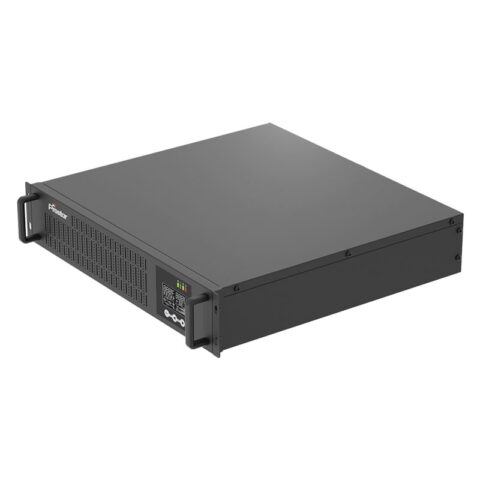
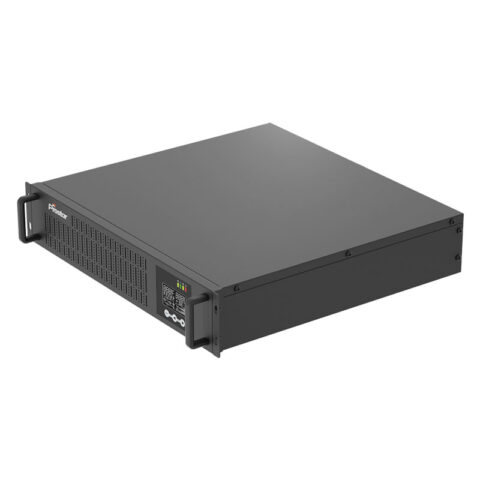
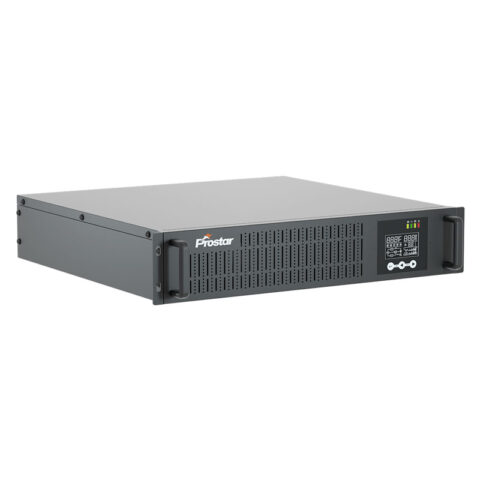
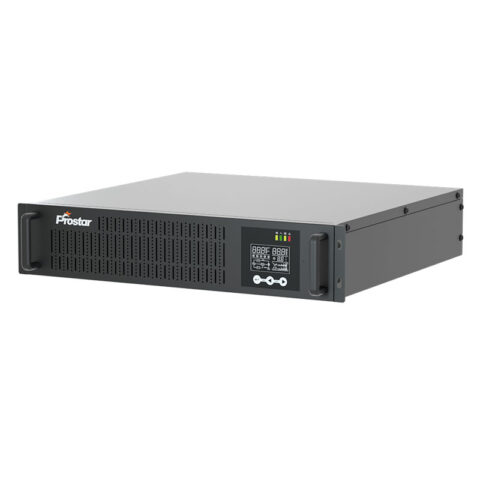
Related Rackmount Uninterruptible Power Supply UPS

Final Thoughts
Power failures are inevitable, but downtime does not have to be.
A professionally designed rackmount uninterruptible power supply serves as the first line of defense against outages, voltage instability, and unexpected electrical disturbances. Whether protecting a small business server cabinet or a large enterprise data center, the right UPS ensures continuous operation, safeguards valuable data, and maintains business continuity.
As digital infrastructure becomes increasingly mission-critical, solutions such as a rackmount UPS for server rack, network rack UPS battery backup system, online rackmount UPS with lithium battery, industrial rackmount UPS power backup solution, rack mounted UPS for data center, and 2U rackmount uninterruptible power supply are no longer optional investments—they are essential components of resilient modern IT architecture.
FAQ
A rackmount uninterruptible power supply (UPS) is a backup power system designed to fit into standard 19-inch server racks. It provides immediate battery power during utility outages while also protecting connected equipment from voltage fluctuations, surges, and electrical noise.
A rackmount UPS for server rack is specifically designed for professional IT environments. Compared with desktop UPS units, it offers:
– Space-saving rack installation
– Higher power density
– Better cable management
– Centralized maintenance
– Remote monitoring capabilities
– Scalability for larger battery banks
For businesses running critical servers and networking equipment, rackmount models provide a much more efficient and reliable solution.
Yes. Backup generators usually require 10 to 30 seconds to start and stabilize after a utility power failure. During this transition period, servers would immediately shut down without a UPS.
A rack mounted UPS for data center bridges the gap between utility failure and generator startup while also filtering power disturbances that generators cannot eliminate.
Rackmount UPS units cost more because they use enterprise‑grade power electronics and batteries (VRLA or lithium), often employ online double‑conversion topology, fit compact 1U/2U rugged chassis with hot‑swap and redundancy, include SNMP/management features, and undergo strict testing and service support—raising upfront price but reducing downtime and total cost of ownership.
A rack mount is used to install and organize IT equipment (servers, switches, storage, PDUs) in standardized 19″ racks, saving space, improving airflow and cable management, and enabling centralized power, monitoring, and easy maintenance.
The Articles You may Like
- What is Slew Rate in UPS System?A Complete Guide
- Stand-alone power system – Wikipedia
- What is the CT Sensor in Solar Inverter On Off Grid
- Rack Mount UPS – How to Choose for Servers and Home Network?
- Why Rack Mount UPS Power Supply is Vital for Industrial Automation and Efficiency
- How to Choose 3 Phase Online UPS for Laser Cutting Machine