

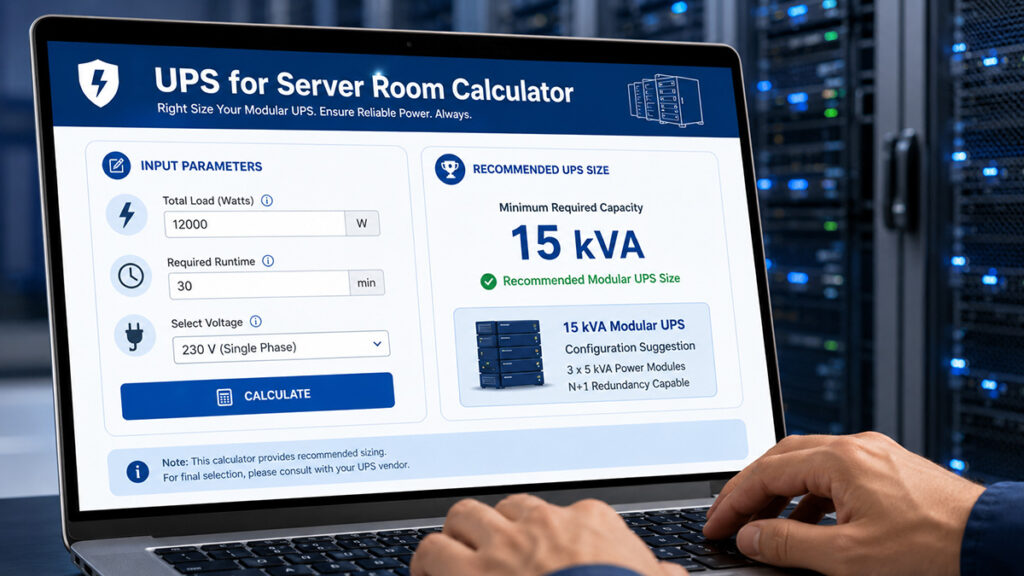
Server rooms demand reliable, scalable power protection to keep critical IT infrastructure running during outages. Modular UPS systems have become the preferred choice for modern server rooms thanks to their flexibility, built-in redundancy (such as N+1 configurations), and the ability to scale seamlessly as demand grows. This guide explains how to properly size a modular UPS for server room, highlights key features to prioritize, and offers practical tips for using a UPS sizing calculator effectively.
Why Choose Modular UPS for Server Room?
Unlike traditional standalone UPS units, modular UPS for server room consist of hot-swappable power modules housed in a shared frame or cabinet. This design lets you start with the capacity you need today and add modules later—without any downtime. The result is higher availability, a lower total cost of ownership (TCO), and simplified maintenance.
Key advantages for server rooms:
- Scalability for growing rack densities.
- Redundancy to prevent single points of failure.
- Compact footprint suitable for rack-mounted or standalone installations.
What Matters Should be Considered to Size UPS System
Getting the size right is critical. The consequences of getting it wrong are significant:
| Oversizing | Undersizing | |
|---|---|---|
| Leads to | Higher initial investment, energy waste, increased cooling costs, greater battery maintenance expenses | System overload, UPS shutdown, reduced battery runtime, failure during peak demand, server downtime |
Correct sizing delivers:
- Stable, uninterrupted operation
- Room for future scalability
- Optimal battery performance
- Improved total cost of ownership (TCO)
Essential Features to Look For in Modular UPS
When selecting a system, prioritize these advanced capabilities that directly impact performance, efficiency, and reliability:
High Efficiency Modular UPS for Server Room
Look for units achieving 95%+ efficiency in double-conversion mode (and higher in ECO modes). This reduces energy costs and heat output, which is critical in temperature-controlled server rooms.
Unity Power Factor (PF = 1.0)
A unity power factor (1.0) means the UPS delivers kW equal to kVA. This maximizes usable power for modern servers and networking gear, allowing you to support more equipment without oversizing.
Older UPS systems often have output power factors of 0.8 or 0.9, meaning a 100 kVA unit may only deliver 80–90 kW. A modular UPS for server room eliminates this gap entirely. A 50 kVA unit delivers a true 50 kW—non-negotiable for efficiency and cost accuracy.
External Battery
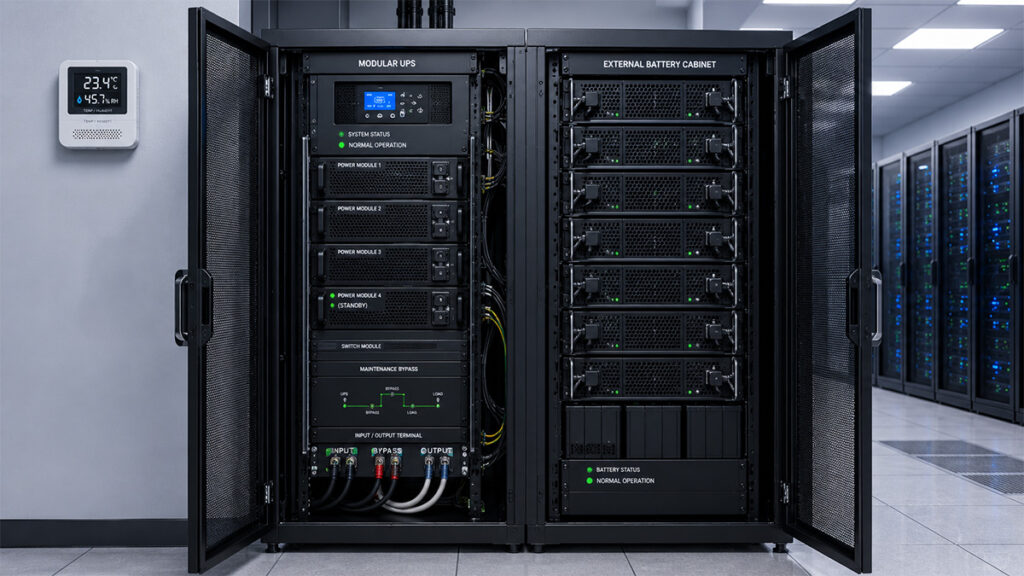
For extended runtime beyond the standard 5–15 minutes, choose systems compatible with external battery cabinets. This is essential for bridging to generator startup or providing 30+ minutes of backup. External cabinets let you add runtime without replacing the UPS chassis, use larger and more cost-effective battery strings (often Li-ion for high cycle life), and keep the UPS footprint compact while situating batteries in a separate rack or room.
Remote Monitoring
Integrated network cards enable SNMP, web-based, or cloud monitoring. Features like modular UPS for server room remote monitoring let you track load, battery health, and alerts from anywhere, integrating with DCIM or NMS platforms.
Maintenance Bypass
An integrated or external maintenance bypass allows you to service or replace modules without interrupting power to servers. This is vital for zero-downtime environments.
Modular UPS System for Data Centers & IT Infrastructure
Understanding How Scalable Modular UPS Systems Work
What is the difference between modular UPS and conventional UPS
How to Size Modular UPS for Server Room
Proper sizing prevents under- or over-provisioning. Follow these steps:
Step 1: Calculate the Total Server Room Load
The first step is determining the actual power consumption of all connected equipment.
Include:
| Equipment | Example Load |
|---|---|
| Servers | 12 kW |
| Network Switches | 2 kW |
| Storage Systems | 4 kW |
| Cooling Controllers | 1.5 kW |
| Security Systems | 1.5 kW |
Total power: 21kW
However, UPS sizing should not stop there.
You should also include:
- Future expansion capacity
- Power factor considerations
- Redundancy requirements
- Peak startup current
A common recommendation is adding 20–30% growth margin.
Example:
21 kW × 1.25 = 26.25 kW
Recommended UPS capacity: ~30 kVA modular UPS for server room with unity power factor (or larger, depending on your redundancy strategy)
The Formula:
Current Load (kW) = Voltage (V) × Amperage (A) × Power Factor (PF) ÷ 1000
Pro tip: Use a power meter or check your PDU readings.
Step 2: Match Power Factor to Modern IT Gear
Older UPS systems often have output power factors of 0.8 or 0.9, which means:
100 kVA UPS may only deliver 80–90 kW
Modern server environments use highly active electronic loads. Therefore, selecting a:
Modular UPS with Unity Power Factor is extremely important. This ensures that a 50kVA unit delivers a true 50kW—no hidden derating. This is non-negotiable for efficiency and cost accuracy.
| Benefit | Impact |
|---|---|
| Full active power output | No wasted capacity |
| Higher usable capacity | Support more equipment per kVA |
| Better IT compatibility | Works natively with modern loads |
| Reduced oversizing | Lower capital and operational costs |
For example:
| UPS Rating | Output PF | Actual Power |
|---|---|---|
| 100 kVA | 0.8 | 80 kW |
| 100 kVA | 1.0 | 100 kW |
This significantly improves infrastructure utilization.
Step 3: Choose the Right Redundancy Design
Server rooms usually require high availability.
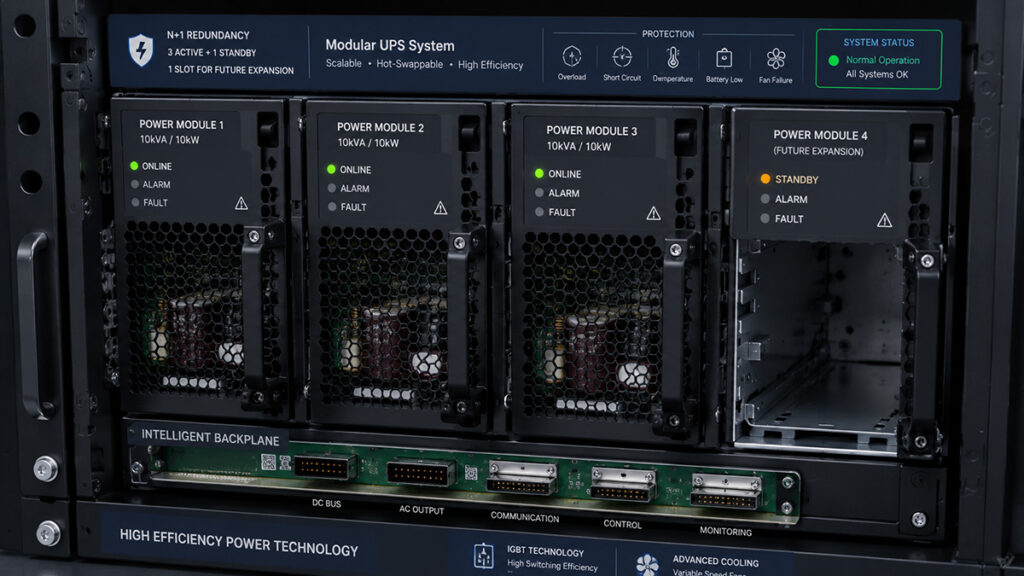
The most common UPS redundancy configuration is: N+1 Redundancy
Example:
- Actual load requirement: 60 kW
- Each power module: 20 kW
- Required modules: 3
- Additional redundant module: 1
Final configuration:
4 × 20 kW power modules
Benefits include:
- Continuous operation during module failure
- Online maintenance capability
- Reduced risk of downtime
This is where a high efficiency modular ups for server room becomes highly valuable because it can maintain excellent efficiency even under partial loading conditions.
Step 4: Consider Runtime – Not Just Power
Runtime is determined by batteries. While internal battery cabinets can handle 5–15 minutes, most server rooms require 30+ minutes for graceful shutdown or generator kick-in.
This is where a modular ups for server room with external battery becomes critical. External battery cabinets allow you to:
- Add runtime without replacing the UPS chassis.
- Use larger, more cost-effective battery strings (often Li-ion for high cycle life).
- Keep the UPS footprint small while placing batteries in a separate rack or room.
Typical server room backup times:
| Application | Typical Runtime |
|---|---|
| Small server room | 10–15 minutes |
| Enterprise IT room | 15–30 minutes |
| Data center | 30+ minutes |
Rough runtime guide:
| UPS Runtime | Battery | Battery cabinet |
|---|---|---|
| within 5 mins | Internal batteries | null |
| 10 – 30 mins | one string | One external battery cabinet |
| 30 – 60 mins | two or three strings | 2 or 3 external battery cabinets |
| over 2 hours | many strings | Multiple external cabinets (or a generator) |
Step 5: Evaluate UPS Efficiency
UPS efficiency directly impacts operational costs.
Even a 1–2% efficiency difference can lead to significant annual savings.
A modern high efficiency modular ups for server room delivers:
| Mode | Efficiency |
|---|---|
| Online (double-conversion) | Up to 95% |
| ECO mode | Up to 99% |
Benefits include:
- Reduced electricity costs
- Lower cooling requirements
- Less heat generation
- Improved sustainability
For server rooms operating 24/7, this becomes a major long-term advantage.
Step 6: Consider Input THDi Performance
Server rooms suffer from harmonic distortion caused by switch-mode power supplies. High total harmonic distortion of current (THDi) overheats transformers and causes nuisance breaker trips.
Poor THDi performance can:
- Distort utility power
- Overload generators
- Increase cable heating
- Reduce overall power quality
A quality modular UPS for server room with low THDi.
typically maintains: Input THDi < 3%
Advantages include:
- Better generator compatibility
- Reduced electrical pollution
- Improved energy efficiency
- Lower infrastructure stress
This is especially critical in facilities using diesel generators or renewable energy systems.
Step 7: Never Skip the Maintenance Bypass
One hidden killer of server room uptime is servicing the UPS itself. You cannot shut down the entire room to replace a power module or battery.
A modular ups for server room with maintenance bypass includes a manual or automatic make-before-break switch that routes raw utility power around the UPS. This allows you to:
- Swap a faulty power module while servers remain online.
- Replace batteries without disruption.
- Perform firmware updates risk-free.
| Benefit | Outcome |
|---|---|
| Zero-downtime maintenance | No scheduled outages |
| Faster servicing | Reduced MTTR |
| Improved reliability | True N+1 with live maintenance |
| Safer procedures | No hot-work risks |
Without a bypass, you’re scheduling quarterly downtime. With one, you achieve true N+1 redundancy with live maintenance.
Step 8: Implement Intelligent Monitoring
Your server room may be unattended on weekends. When a module fails or batteries degrade, you need alerts before the event, not after.
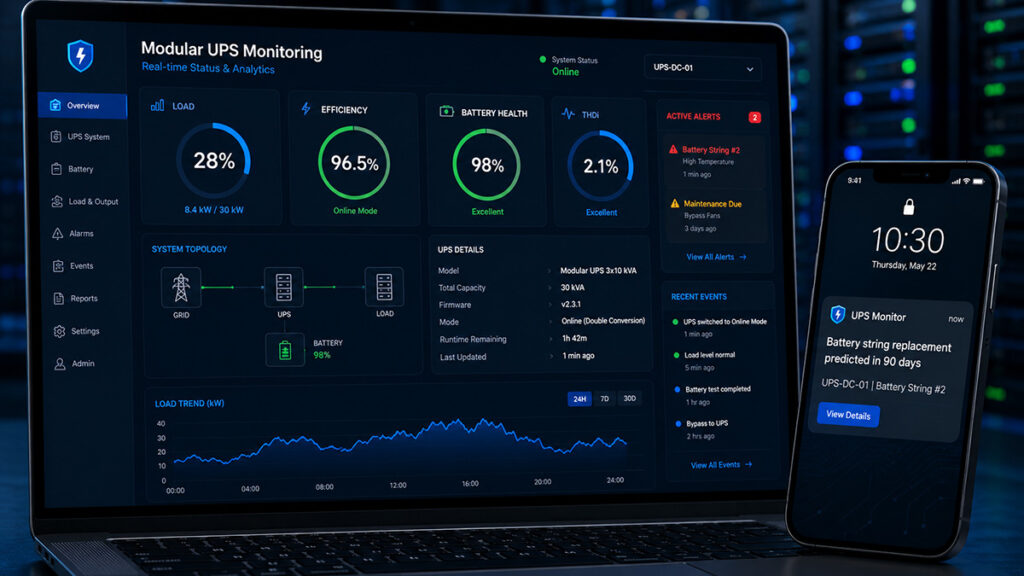
A modular UPS remote monitoring system can provide:
- Real-time UPS status
- Battery health analysis
- Alarm notifications
- Energy reports
- Remote diagnostics
- SNMP/network integration
Advanced monitoring helps reduce:
- Unexpected failures
- Maintenance costs
- Downtime risks
It also improves overall infrastructure visibility.
Remote monitoring turns raw data into actions: “Replace battery string in rack 3 within 90 days.”
Related Modular UPS System

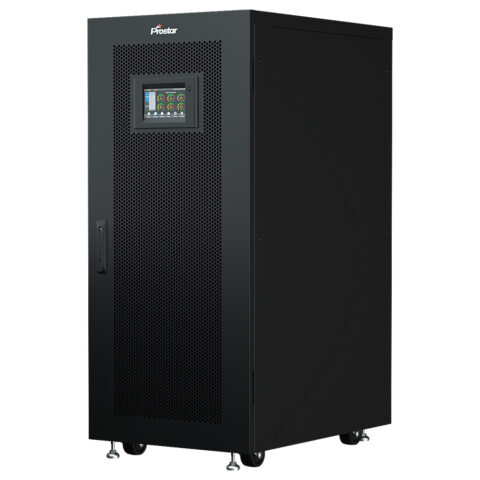
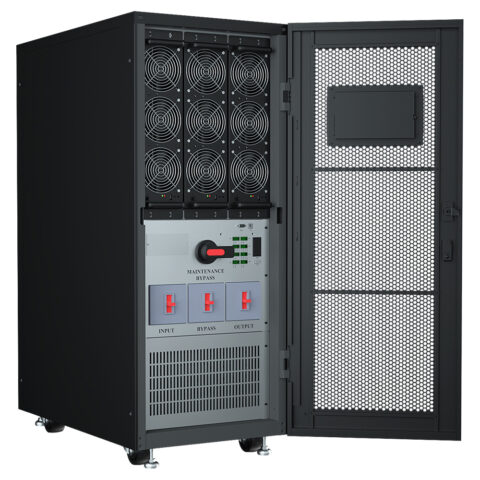
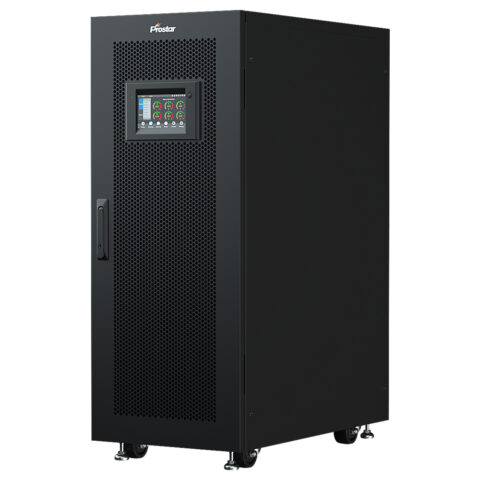
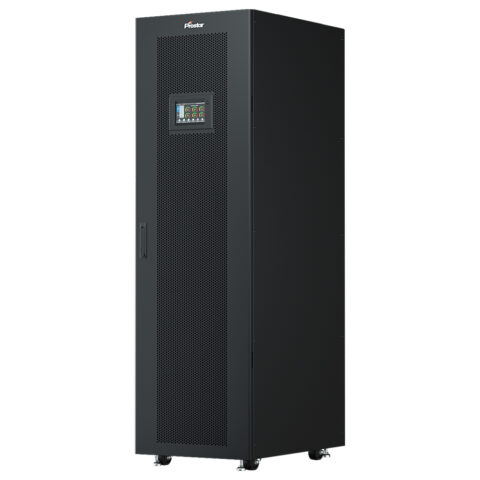
Common UPS Sizing Mistakes to Avoid
| # | Mistake | Why It Hurts |
|---|---|---|
| 1 | Ignoring future growth | Server rooms expand rapidly—always reserve extra capacity |
| 2 | Oversizing excessively | Large UPS systems operate inefficiently at low loads |
| 3 | Ignoring battery temperature | Battery life drops dramatically at high temperatures |
| 4 | Choosing low power factor UPS | Low PF systems waste usable capacity and inflate costs |
| 5 | Skipping monitoring features | Remote monitoring is now a critical infrastructure requirement, not a luxury |